Selecting Verbs
Spanish Coach includes nearly 800 Spanish verbs. The Select Verbs screen lets you narrow these down to exactly the set you want to practise.
Criteria tab
Use the Criteria tab to filter verbs by difficulty, frequency, and topic.
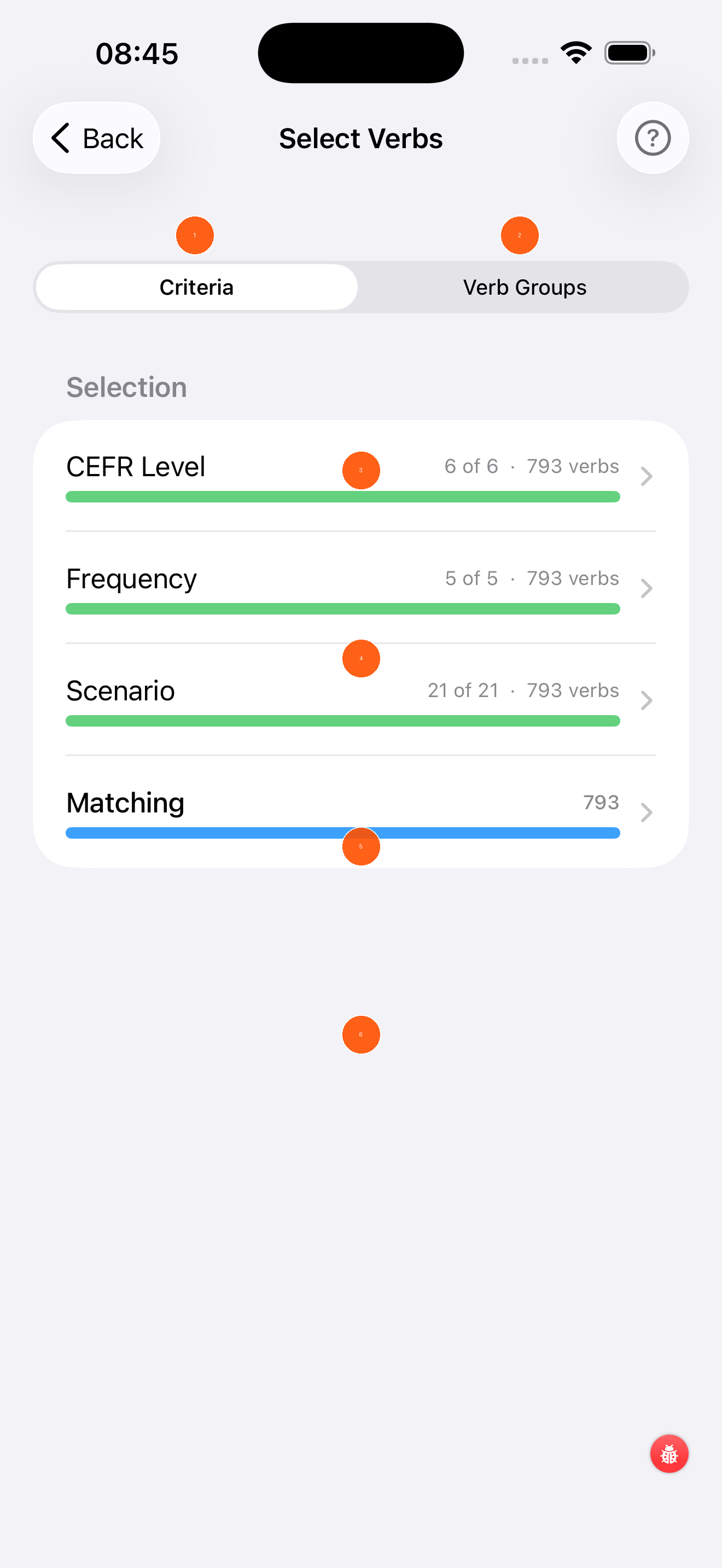
- Criteria tab — filter by CEFR level, frequency, and scenario (active tab)
- Verb Groups tab — select verbs by named groups instead of criteria
- CEFR Level — tap to choose which CEFR levels to include (A1, A2, B1, B2, C1, C2). The green bar shows how many levels are selected.
- Frequency — tap to include only the most commonly used verbs (1 = most common, 5 = all)
- Scenario — tap to filter by topic (e.g. Food, Travel, Health). See scenarios →
- Matching — shows how many verbs currently match all your filters combined. The blue bar is your working set.
Start small
For beginners, try CEFR A1+A2, Frequency 1–2, and one or two scenarios. This gives you a focused set of 30–60 high-priority verbs.
Scenario selection
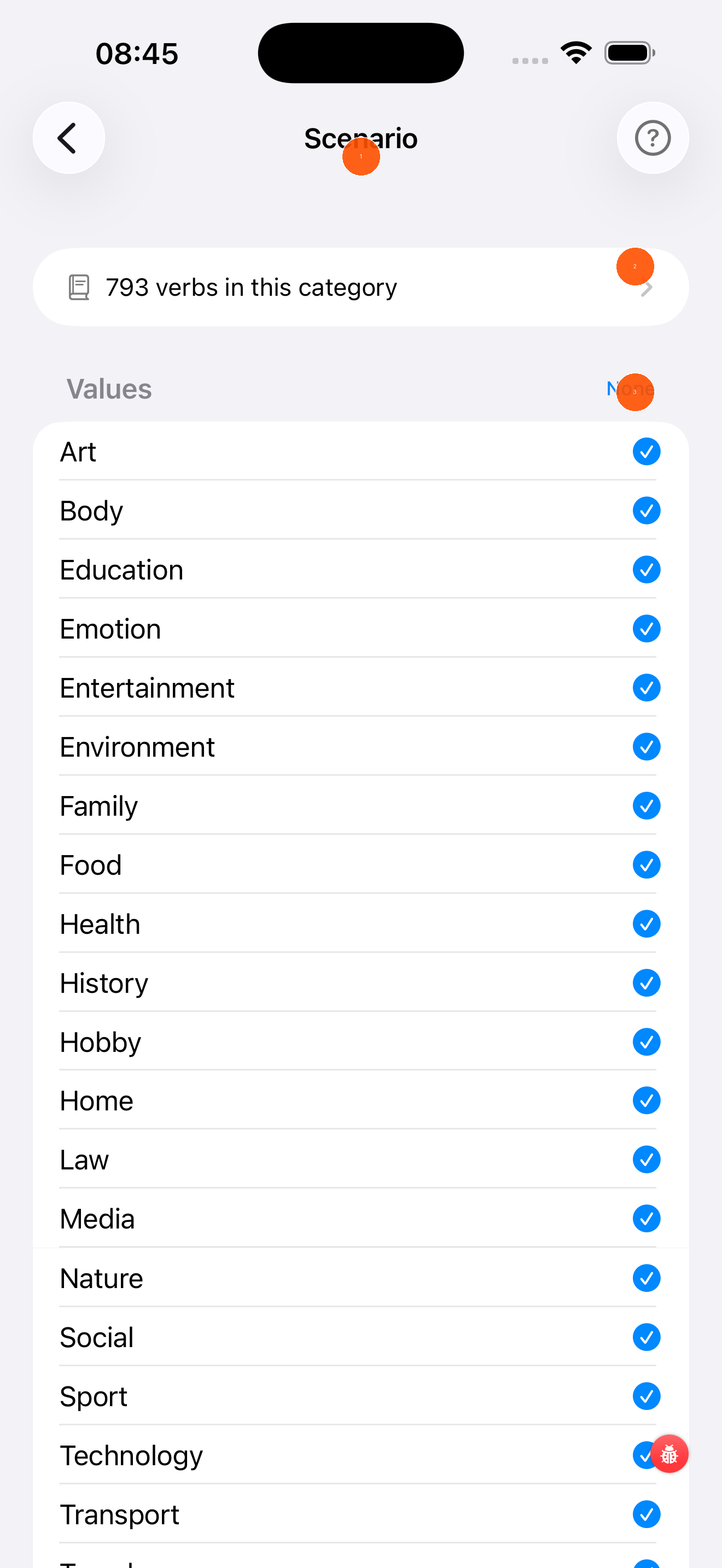
- Verb count — shows how many verbs are in this scenario category
- None — tap to deselect all scenarios at once
- Checkboxes — tap any scenario to toggle it on (blue tick) or off. Selecting more scenarios adds more verbs to your practice set.
Available scenarios include: Art, Body, Education, Emotion, Entertainment, Environment, Family, Food, Health, History, Hobby, Home, Law, Media, Nature, Social, Sport, Technology, Transport, and more.
Verb Groups tab
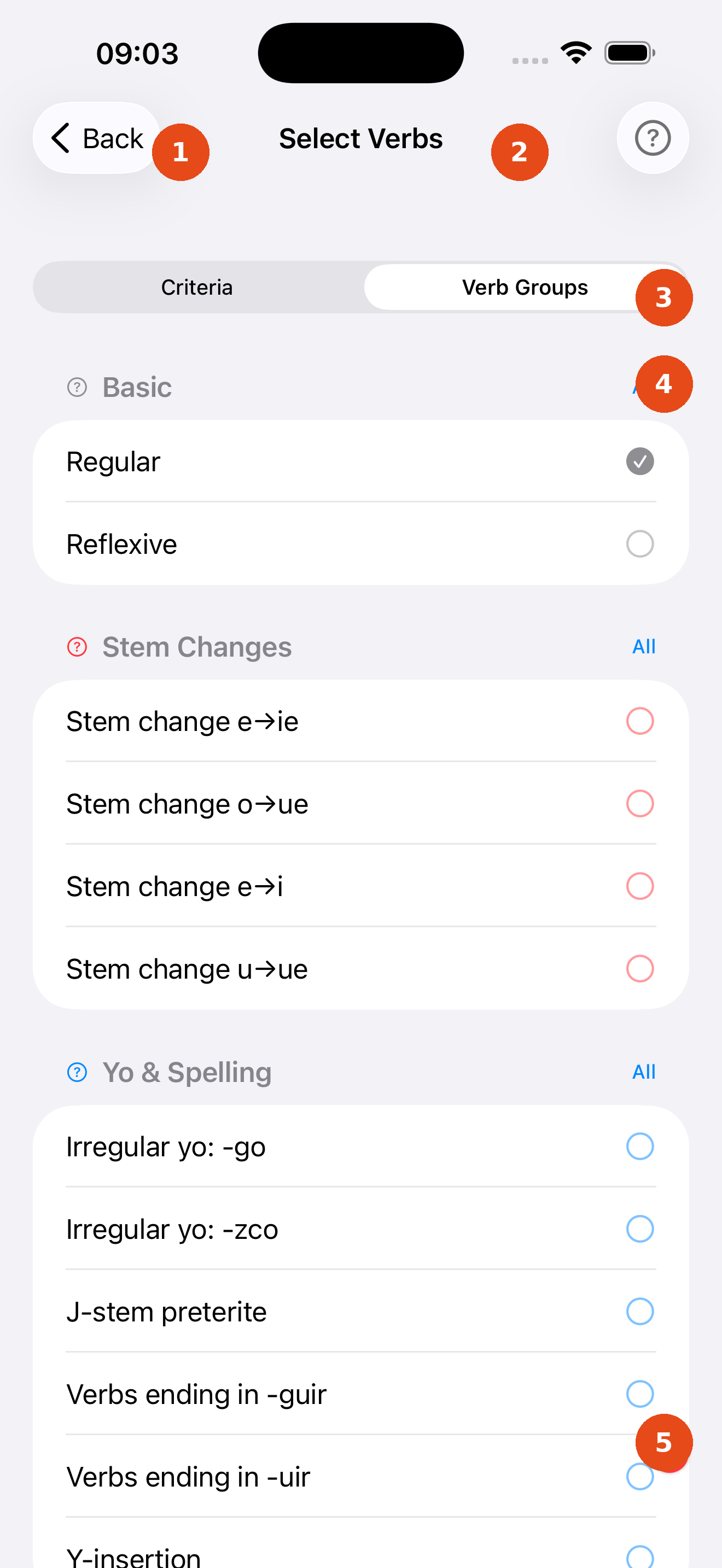
- Criteria tab — filter by CEFR level, frequency, and scenario
- Verb Groups tab — select verbs by named linguistic groups (active tab)
- Group header — named categories such as Basic, Stem Changes, Yo & Spelling; tap to expand/collapse
- Group checkbox — tap to toggle all verbs in this sub-group on or off
- Matching count — updates instantly as you make changes
Verb list
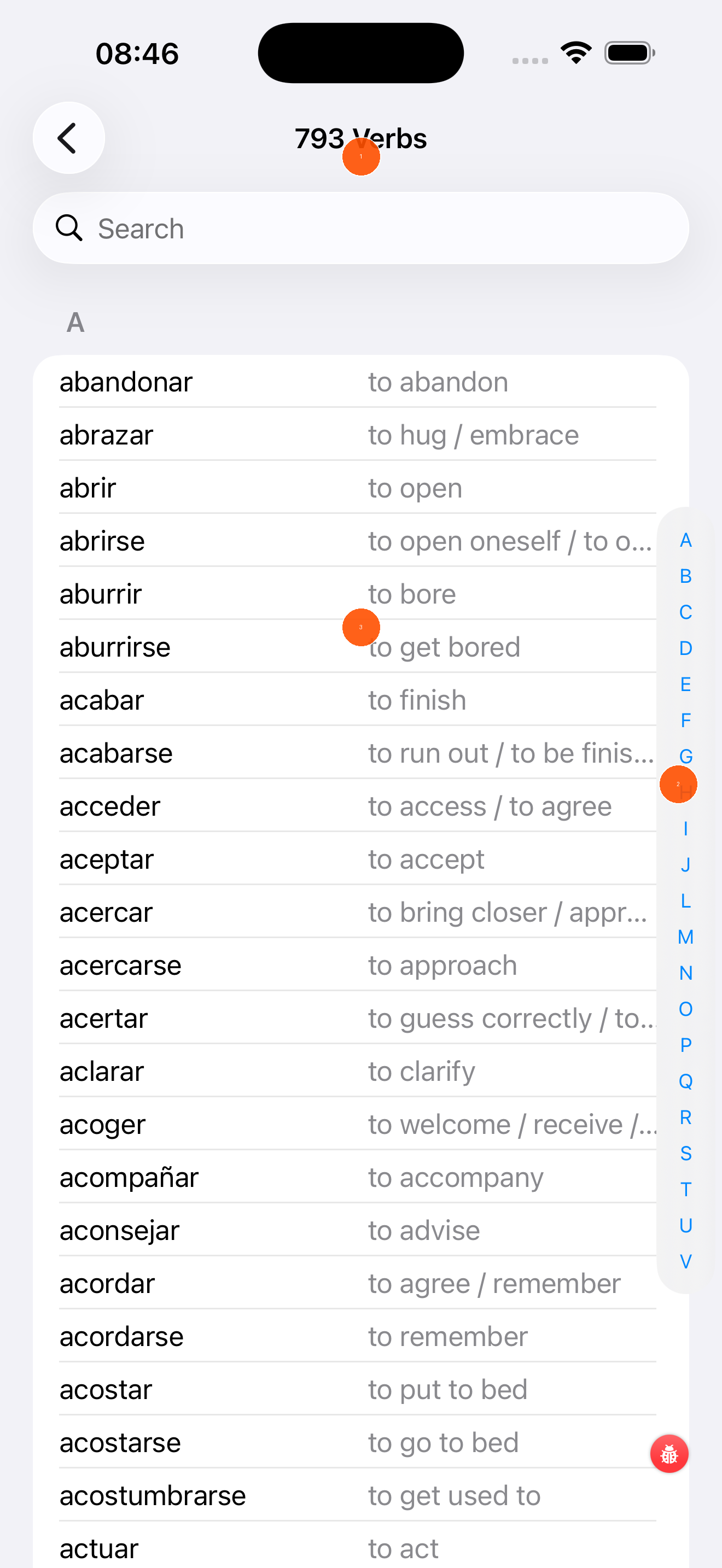
- Search — type any Spanish or English word to filter the list instantly
- Alphabetical index — tap a letter on the right edge to jump directly to that section of the list
- Verb list — shows all verbs matching your current criteria with their English translation. Tap any verb to see its full details.