Main Screen
When you open Spanish Coach you land on the main screen. From here you choose your learning path.
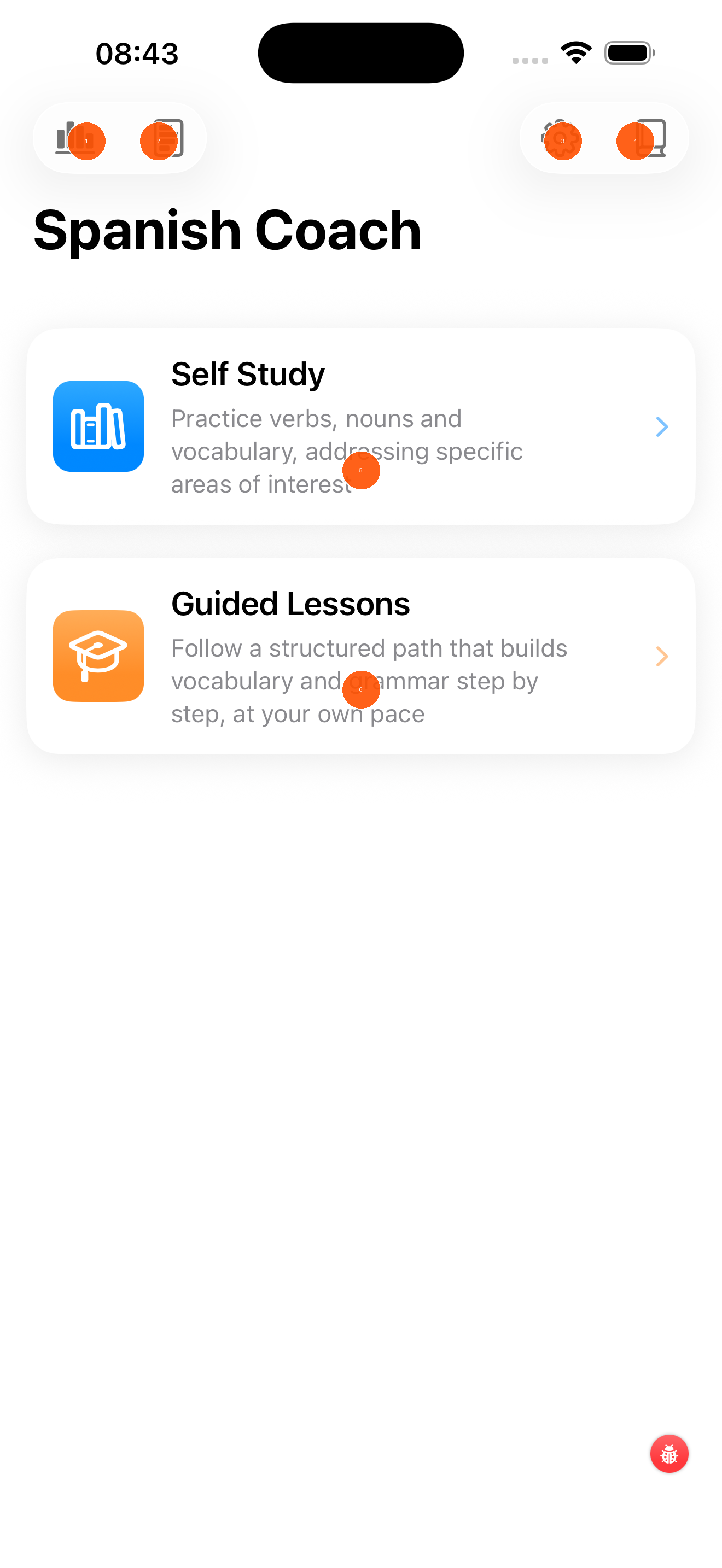
- Progress & statistics — tap to see your learning history, streaks, and performance charts
- Learning history — browse your past sessions and results
- Settings — adjust app preferences, notifications, and account details
- Reference library — quick access to reference material
- Self Study — practice at your own pace; choose which verbs, nouns, or phrases to focus on. Tap to enter.
- Guided Lessons — follow a structured path that builds vocabulary and grammar step by step. Tap to enter.
Choosing a Path
| Path | Best for |
|---|---|
| Self Study | You know what you want to practise — specific verb tenses, topics, or vocabulary groups |
| Guided Lessons | You want a structured programme that decides what to study next for you |